Your HubSpot CRM list
now fully editable

Edit any record inline. Bulk-update dozens of rows at once. See trends right in the list — no extra pages, no exports, no switching tools.

Free for teams up to 3 users. No time limit.
SETKI Grid for HubSpot
Scroll

HubSpot is powerful.
Updating it shouldn't take hours.

Every field update means opening a record, making the change, saving, closing, and moving on to the next one. For a rep updating 30 records a day at 2 minutes each, that's an hour of repetitive work — per person.

SETKI lets your team edit directly in the list view.
What used to take an hour now takes minutes.

For Sales Teams

Update 50 records
in 5 minutes

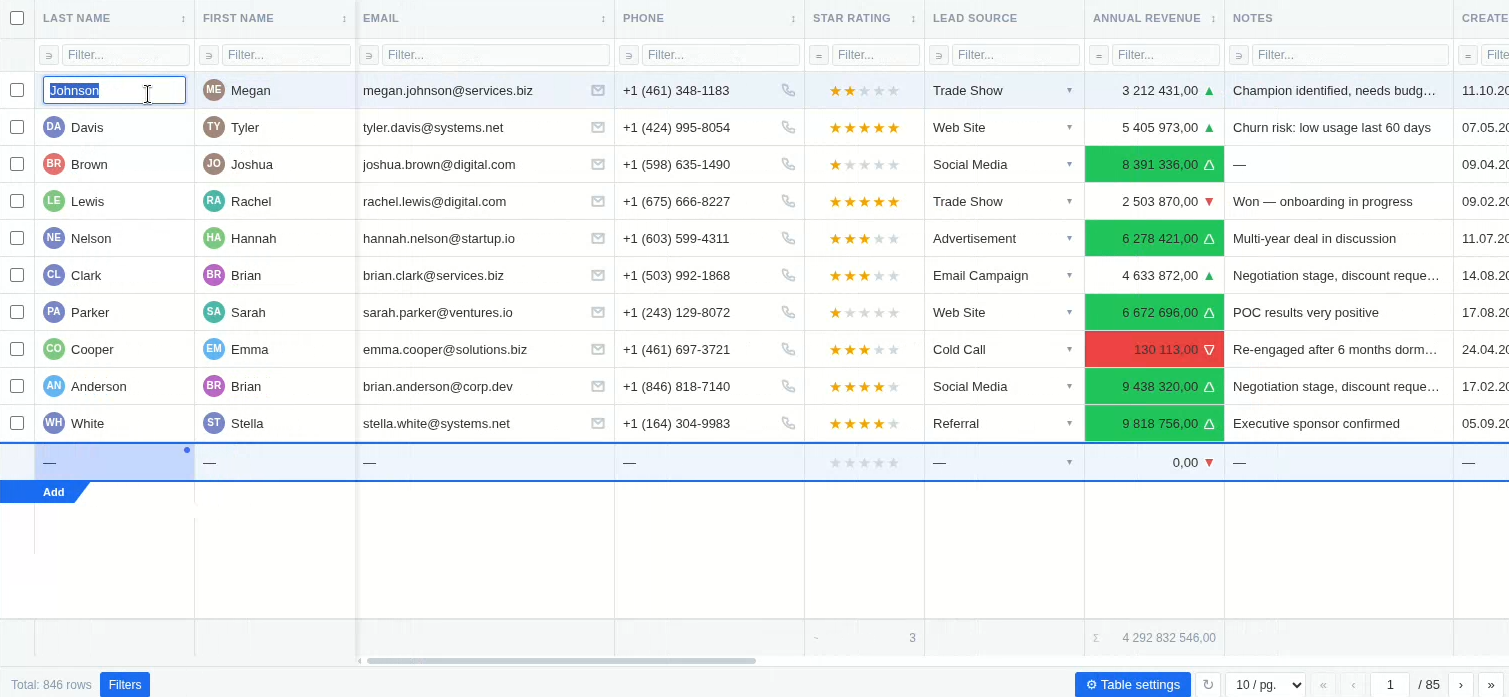
Double-click any cell to edit it inline — no record card, no page reload. Dropdowns, association fields, dates, checkboxes, multi-select — all editable directly in the list.

Need to update the same field across multiple rows? Select them, change the value once, and it applies to all.

  • Inline edit for all field types — including dropdowns, associations, and multi-select
  • Bulk edit: select rows → change one field for all at once
  • Sort by any column. Filter by any field.
  • Admin can preset default filters and sort order for the whole team
SETKI Grid — inline edit
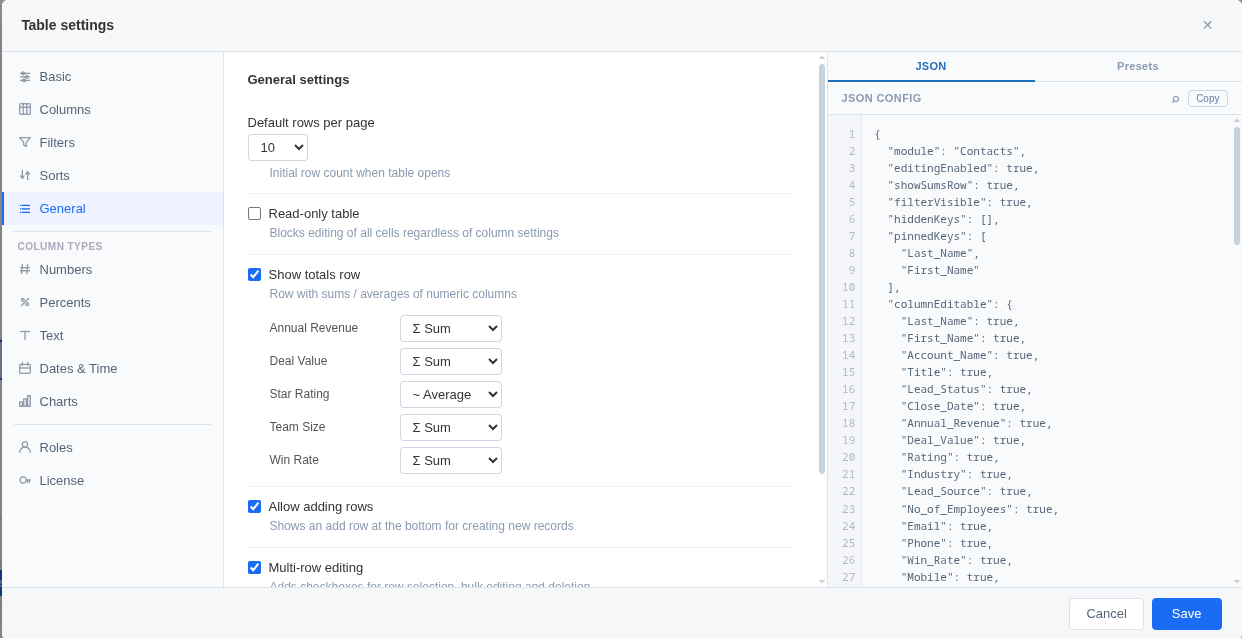
SETKI Grid — admin settings

For CRM Admins

Configure once.
Everyone sees exactly what they need.

Your sales reps, managers, and team leads work differently — but they all see the same default CRM list.

With SETKI, you set up role-based views once. Each HubSpot role gets its own column set, filters, and permissions. No one touches configuration they shouldn't.

  • Role-based presets — different views for Admins, Managers, Reps, Viewers
  • Preset columns, filters, and sort order for each role
  • Read-only mode — prevent edits for view-only users
  • Live settings preview — see changes before saving
  • Your CRM records never leave HubSpot — only display settings sync to our backend

For Sales Leaders

Spot trends without
leaving CRM

Seeing what's happening across your pipeline usually means exporting to a spreadsheet or opening a separate analytics tool. With SETKI, the data tells its story right in the list.

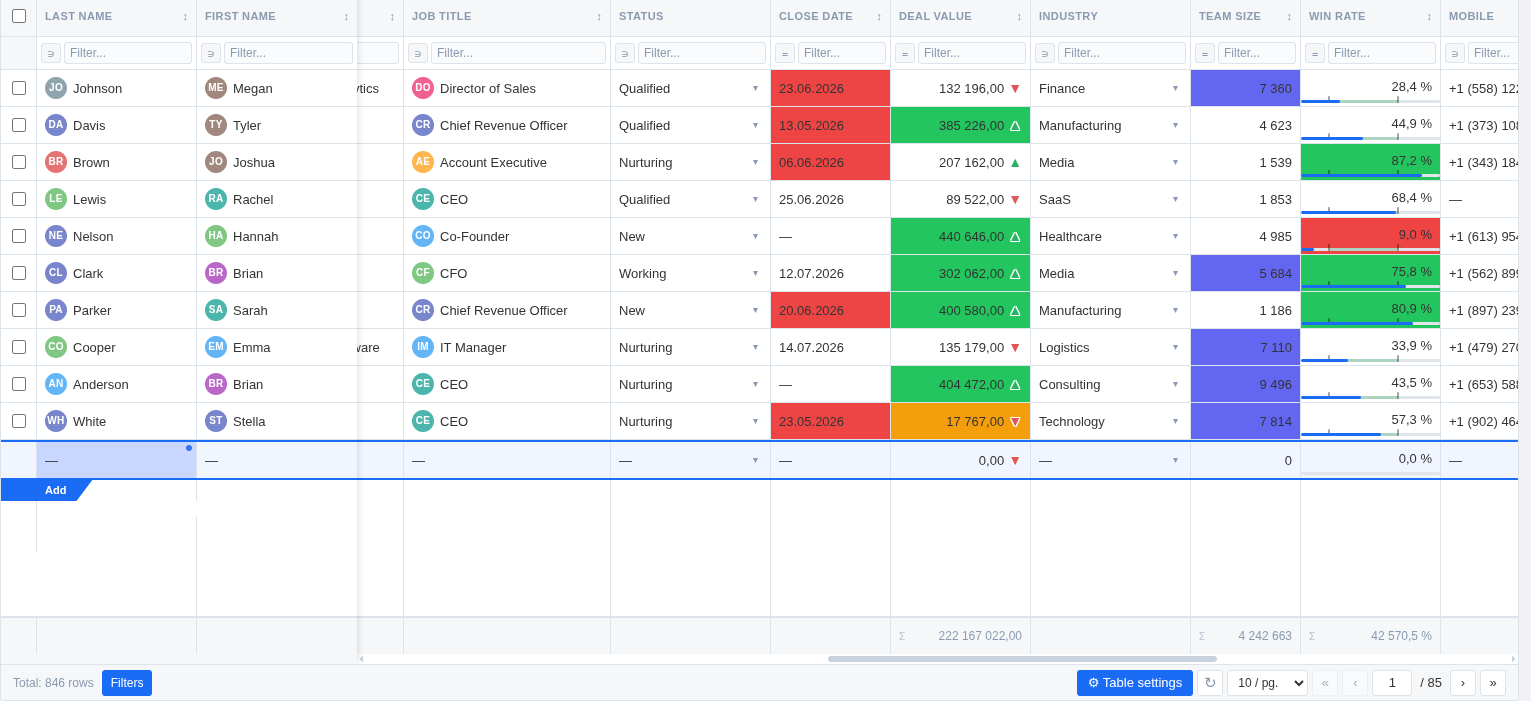
  • Sparklines — mini line charts built from related object data, right in the cell
  • Color thresholds — cells change color when values cross your limits
  • Deadline highlighting — today = yellow, overdue = red (colors configurable)
  • Stock mode — ▲/▼ trend arrows for numeric fields
  • Progress bars for percent fields
  • Column totals — Sum or Average at the bottom of any numeric column
SETKI Grid — sparklines and color thresholds

SETKI pays for itself in the first week

Without SETKI

2 min

per record update

With SETKI

10 sec

per record update

Savings

55 min

per person per day

Based on 30 records/day, 2 min manual vs 10 sec with SETKI.

Team size Annual savings SETKI Pro cost ROI
5 people $22,875 $960 24×
10 people $45,750 $1,920 24×
20 people $91,500 $3,840 24×

Annual savings assume $20/hr fully-loaded cost and 250 working days/year — adjust for your team's numbers.

$192/year per person — billed annually.

Configure with AI —
describe what you need, get the config

SETKI is configured through a JSON schema that's fully documented and publicly available. This means any AI assistant — Claude, ChatGPT, or others — can generate a complete configuration for you.

Just describe what you need in plain language:

"Set up SETKI for our Deals pipeline: pin the Amount column, add sparklines from related Line Items, highlight red if Amount is under $1,000."

Paste the output into SETKI's config editor — done in seconds.
No technical knowledge required.

Read the documentation →

Simple pricing. Full functionality from day one.

Both plans include everything. The only difference is team size.

Free

$0

forever

For teams up to 3 users

Connect free →

Pro · Monthly

$20

/ user / month

For teams of 4 or more

Get seats →
Save 20%

Pro · Annual

$16

/ user / month

For teams of 4 or more

Get seats →

Questions? dev@setki.dev

Transparent about your data

CRM records never leave the session

SETKI reads your CRM data through the official HubSpot API and renders it live — records are never persistently stored anywhere.

Standard OAuth, revocable anytime

SETKI connects through HubSpot's standard OAuth flow with scoped permissions — disconnect it from HubSpot at any time, no data left behind.

Open about what we do

What SETKI accesses, why, and what it doesn't touch — documented in our Privacy Policy.

Ready to get your time back?

Connect SETKI free for your team of up to 3.
No credit card. No setup calls. Just connect and start editing.

Connect HubSpot free

Questions about Pro? dev@setki.dev